Stop paying for recurring cloud subscriptions. Plug your USB-C flash drive into your iPhone and backup full-resolution photos, 4K videos, WhatsApp media, and iCloud folders in seconds.
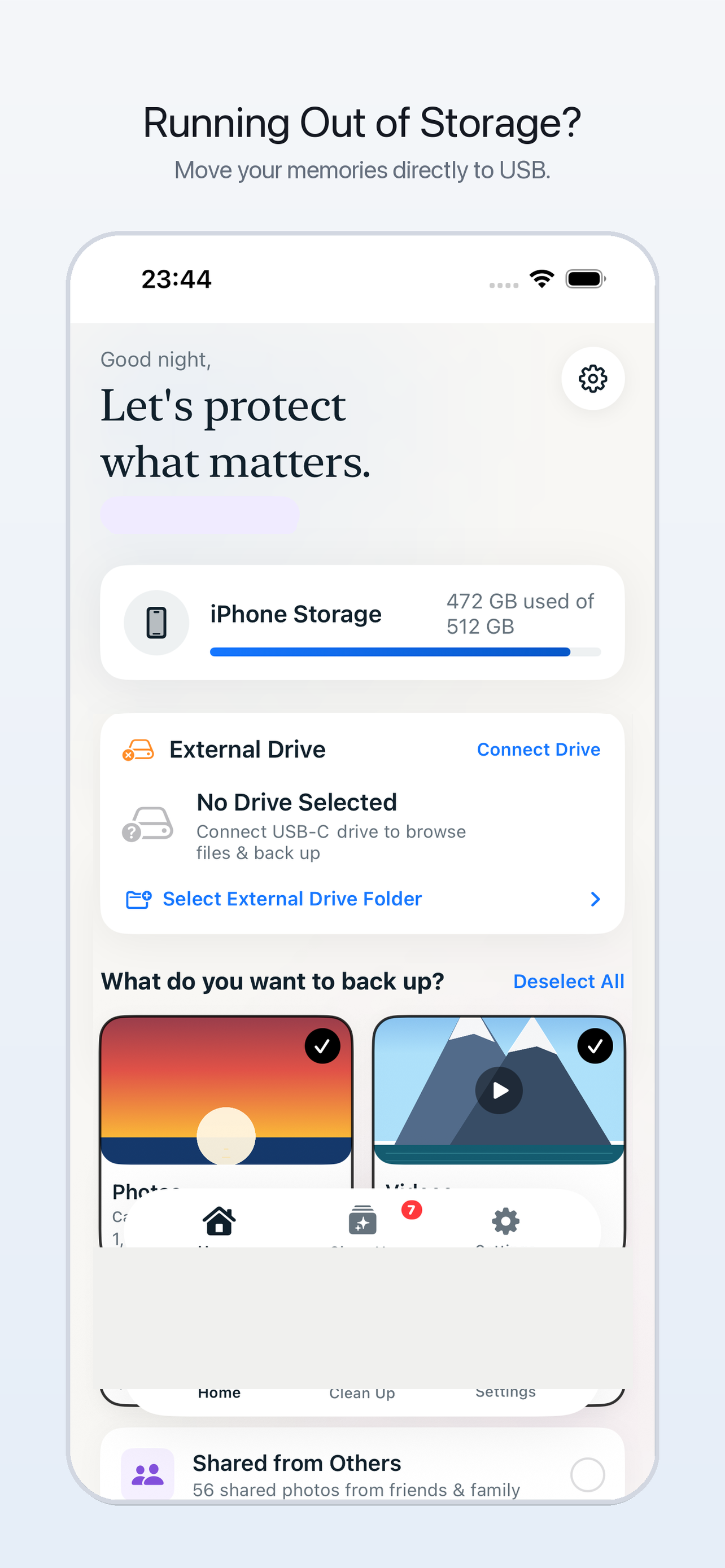
Designed for real storage relief.
Hardware-accelerated speed, smart on-device intelligence, and zero third-party tracking.
Back up thousands of full-resolution photos and heavy 4K videos at hardware speeds. Keeps original EXIF metadata, timestamps, and geolocation tags intact.
Smart Vision AI scans burst shots and similar photos locally on your device. Automatically recommends the Best Shot (sharpest focus, open eyes, best lighting) while letting you easily clean clutter.
No account creation, no logins, and zero cloud sync. Your personal photos, videos, and private documents travel directly from your phone to your physical USB drive.
Need to backup work folders or downloads? MoveUSB recursively scans selected directories and all subfiles in iCloud Drive or On My iPhone, preserving folder organization.
Quickly detect and backup heavy media received from WhatsApp, Telegram, Instagram, and shared family albums without wading through thousands of camera roll items.
Engineered with thermal pacing and battery state protection to safeguard your iPhone and external drive health during continuous multi-gigabyte transfers.
Plug in. Select. Done.
Attach any standard USB-C flash drive directly to your iPhone. MoveUSB recognizes it immediately.
Select Photos, Videos, WhatsApp media, or iCloud documents. Use the free AI cleaner to eliminate blurry duplicates first.
Watch real-time transfer speeds with inspiring thoughts. Once done, safely eject and keep your physical copy forever.
Frequently Asked Questions
Need more assistance? Check our Support Center or email moveusb.app.help@gmail.com.
Any external drive compatible with iOS! On iPhone 15, iPhone 16, iPhone 17 (and newer), and USB-C iPads, you can plug in any standard USB-C flash drive, portable SSD, or external HDD (SanDisk, Samsung T7, WD, Seagate, Crucial, Lexar, Kingston, etc.) directly.
Yes! Clean Up & Dedup is completely free to use. It runs 100% on your device using Apple's Vision framework to detect duplicates, burst shots, and blurry images without sending any photos to the cloud.
MoveUSB lets you back up up to 4,000 photos and files completely free during your trial period. If you have a larger library and want unlimited continuous backups, you can easily upgrade to MoveUSB Pro.
Never. MoveUSB has no backend servers, no analytics databases, and no cloud accounts. All data transfer occurs directly between your iPhone's storage and the attached USB drive.
Join thousands taking control of their phone storage without monthly fees.